


How Much Time Does Manual Admin Work Actually Cost Training Programs?
TL;DR
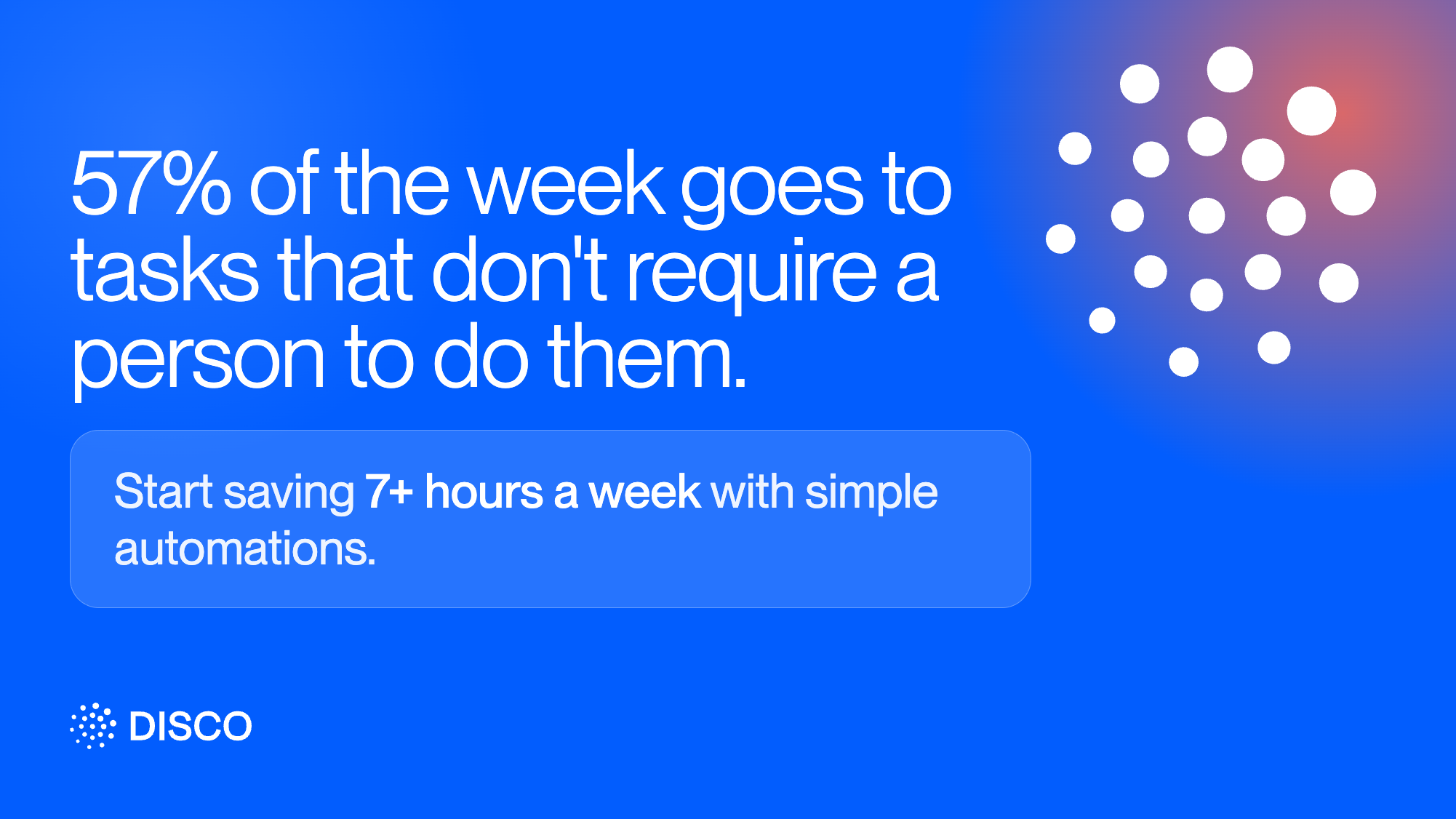
How much time does manual admin work actually cost training programs? HR and L&D teams lose up to 57% of their time to repetitive tasks, re-enrolling members, assigning roles by hand, chasing engagement, and moving data between disconnected systems, none of which require judgment, making it exactly the kind of work automation is built to eliminate.
Deloitte's research on HR functions found that HR staff spend up to 57% of their time on administrative, routine tasks, leaving little room for anything strategic. Training and L&D teams sit inside that same overhead. Every new cohort that needs manual enrollment, every member added to the wrong group by hand, every reminder email sent one at a time is time that never goes toward the actual program.
The frustrating part is that most of this work is not complicated. It is repetitive. And repetitive work is exactly what automation is built to remove, not replace with more tooling, just remove.
Where the manual hours actually go
Admin time in a training program tends to disappear into a handful of predictable places:
- Re-adding people to every new cohort. Someone finishes onboarding, or joins a specific group, and now needs to be manually registered for the right program, again.
- Assigning roles and groups by hand. New members need the correct access level, subgroup, and product bundle set up individually instead of arriving with it already in place.
- Chasing engagement instead of tracking it. Sending a nudge to inactive members, or a reminder ahead of a live session, works fine once. It stops working once it needs to happen every week for every cohort.
- Moving data between systems that don't talk to each other. Adding or removing someone from a training program because of a change that happened somewhere else entirely, like a new hire's start date or a CRM stage change.
None of these tasks require judgment. They require someone to notice a trigger and take the same action every time. That is the exact shape of a problem automation solves.
What that time is actually worth
The research on this is consistent, even outside of training specifically. In one industry survey, teams that automated their administrative tasks reported saving more than seven hours per week, time that shifted back into actual program design and member support instead of data entry.
Seven hours a week is close to a full working day. For a training team already stretched across content creation, facilitation, and reporting, that is not a marginal gain. It is the difference between reacting to admin all week and having a day back to actually improve the program.
How Disco solves this
Disco's automations are built around the exact triggers described above, so the manual step disappears rather than just getting a faster interface.
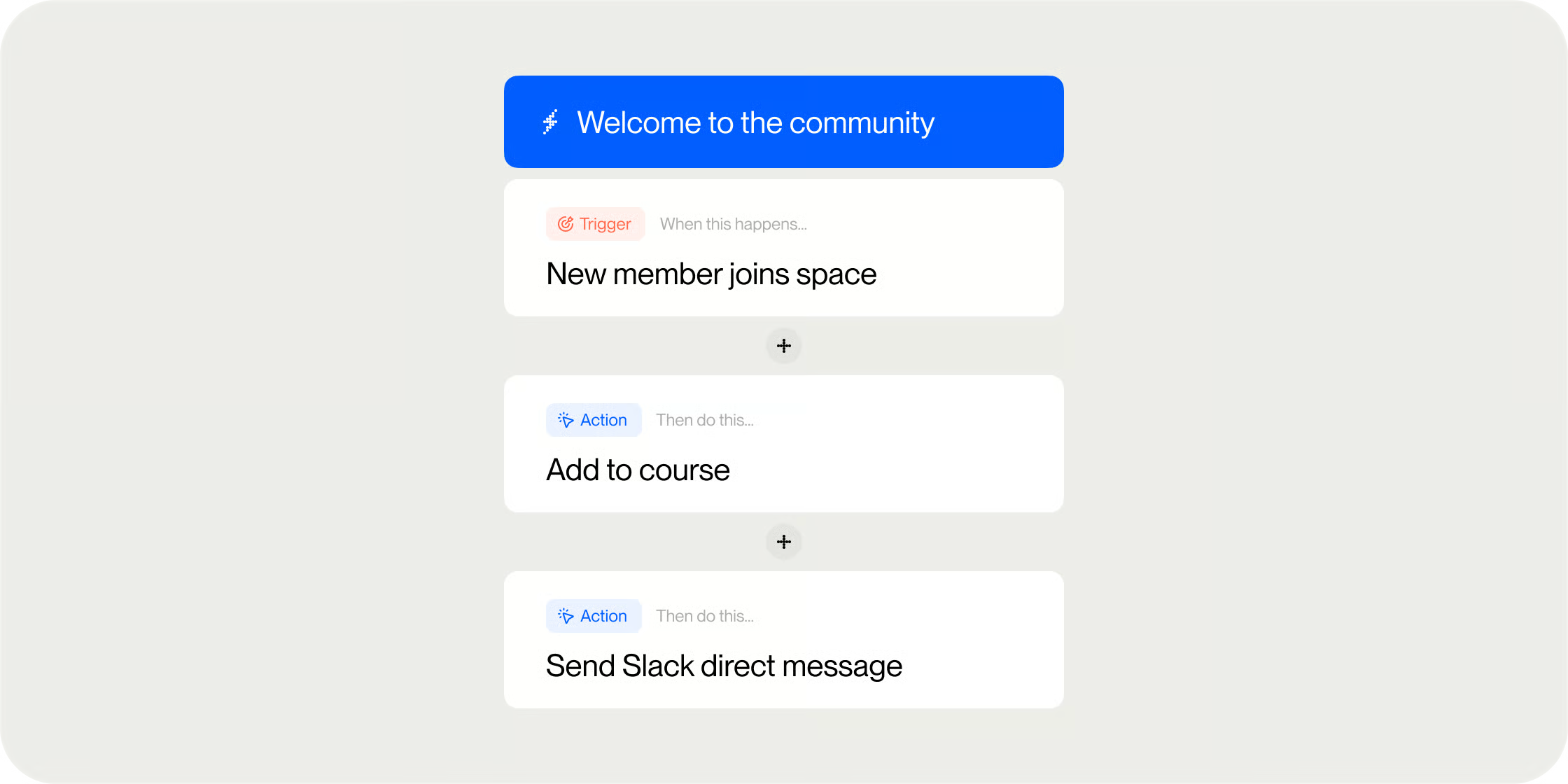
Automations built around what actually happens in a program. Disco's automations run on triggers tied to real member behavior: joining or completing a Program, completing a specific curriculum module, going inactive for a set number of days, joining a group, or updating a profile field. Each trigger can fire one or more actions in sequence, like sending an email, adding someone to a Program or group, or posting a message to a channel, with conditional branches available to route different members to different actions based on their current progress or group membership.
That last part matters more than it sounds. A common failure mode with re-engagement automations is nudging someone who already finished the program as if they're falling behind. A conditional branch fixes that in two minutes: trigger on inactivity, then branch on curriculum completion percentage, so members under 90% get a re-engagement nudge and members at 90% or above get a congratulatory check-in instead. The distinction between "haven't logged in" and "already finished" is exactly the kind of judgment call that used to require a human checking a report before sending anything.
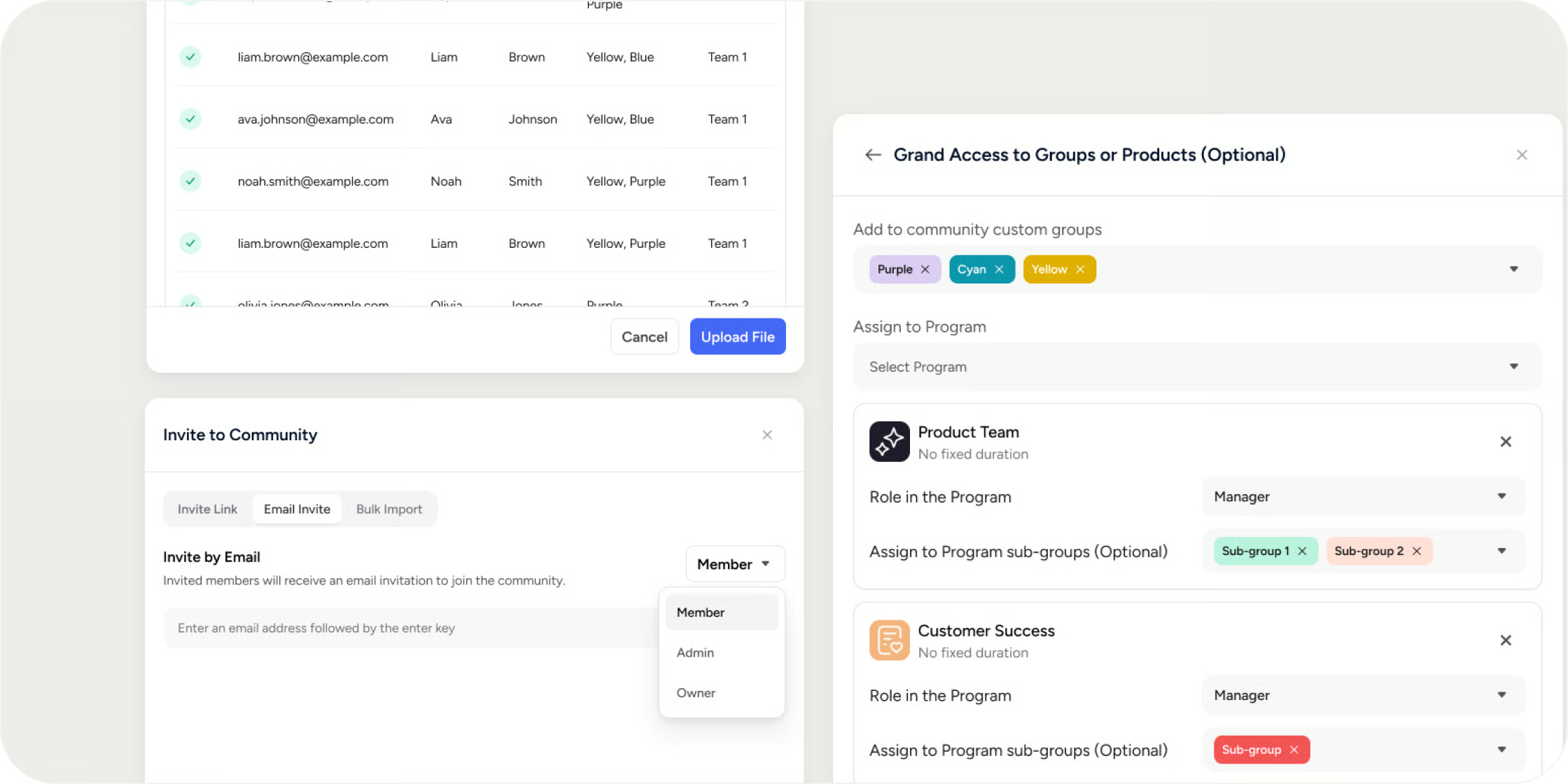
Bulk member import. Up to 1,000 members can be invited at once via CSV, and you can run multiple 1,000-member imports back to back if a cohort is larger than that. Templates are separate for Academy-level and Program-level invites, so new members can land directly inside the right Program rather than needing to be added to it as a second step. One limitation worth knowing: bulk import only invites members at the Member role, so anyone who needs Instructor, Manager, or Admin access still has to be set up individually.
Zapier and API access. Disco's Zapier integration connects to more than 5,000 other apps, with triggers built around the moments that actually matter in a training program: a member completing a curriculum module, joining or leaving a Program, applying to one, or finishing onboarding, among others. Each of those can automatically fire an action like adding someone to a Program or Pathway, removing them, or pulling their profile fields for use elsewhere in the workflow. That means a change somewhere else entirely, like a new hire landing in an HR system, can automatically enroll them in the right training Program without anyone touching Disco directly. For teams that need more custom logic than a no-code Zap allows, Disco's API can add or remove users from an Academy or Program programmatically, the same underlying capability, just built into your own systems instead of Zapier.
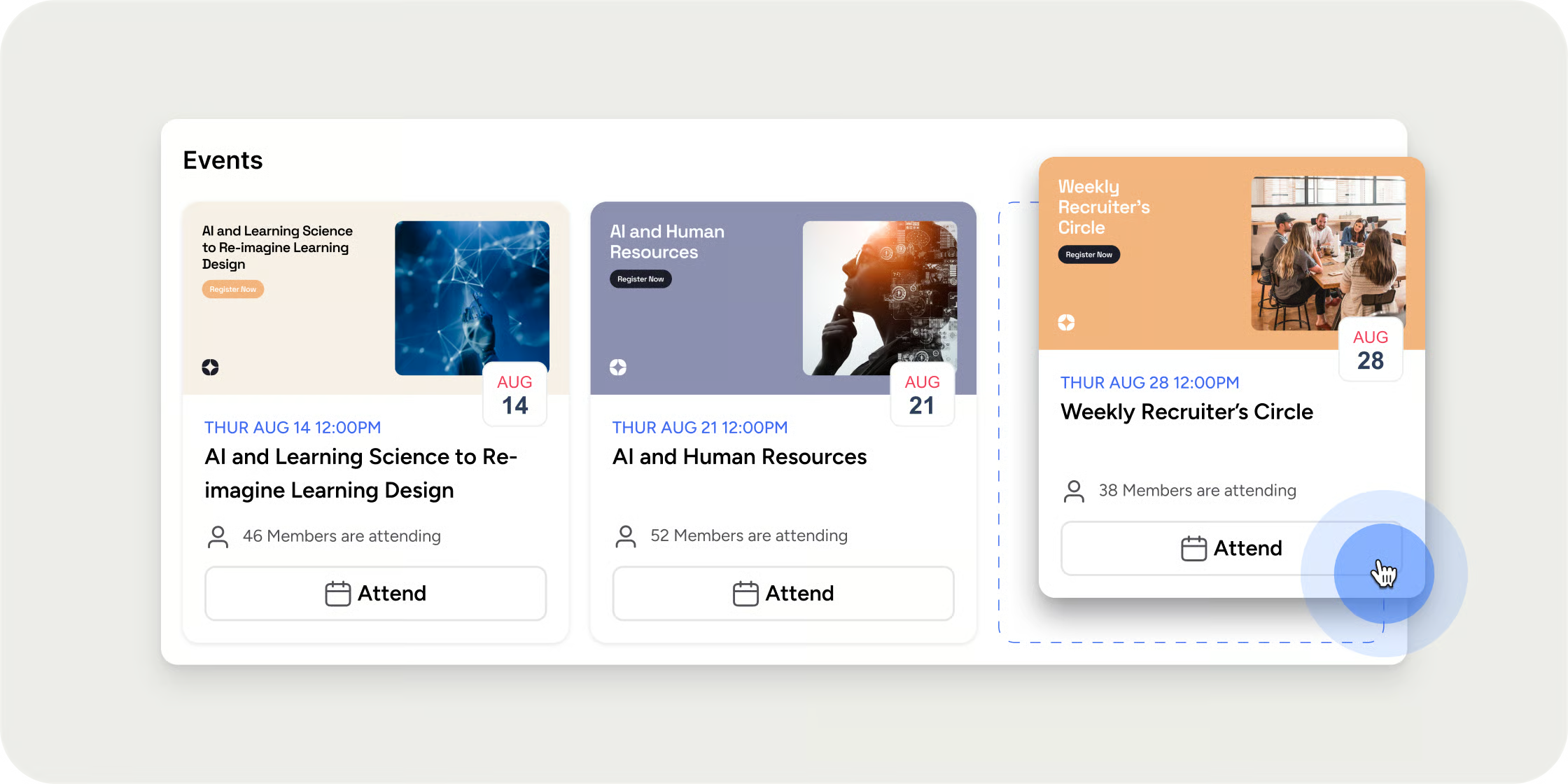
Automatic event reminders. Every event can send reminder notifications on a set schedule, by default 24 hours and 15 minutes before start time, fully customizable per event, so attendance nudging is not something an admin has to remember to do manually every week.
Put together, none of this requires a bigger admin team. It requires moving the repetitive steps out of someone's task list and into a system that already knows when to act.
The fix is not doing admin work faster
Most teams try to solve manual admin by getting better at it: faster spreadsheets, more organized checklists, a slightly better process. That helps at the margins, but it does not remove the work. The teams that actually get their time back are the ones who stop doing the repetitive step altogether, because the platform already knows the trigger and the action. If your training program still depends on someone noticing a change and manually reacting to it, that is not a staffing problem. It is a sign the platform is missing the automation that should be doing it instead.
LMS automation FAQs
What is LMS automation?
LMS automation is the use of trigger-based rules inside a learning platform to handle repetitive administrative tasks automatically, things like enrolling a new member, sending a reminder, or updating someone's access, without an admin manually taking that action every time it's needed.
What training administration tasks can actually be automated?
The tasks that automate cleanly are the ones with a clear trigger and a repeatable action: enrolling members in a new cohort, assigning roles and groups on signup, sending re-engagement nudges to inactive members, sending event reminders, and syncing membership changes with other systems like an HR platform or CRM. Tasks that require judgment, like deciding whether a member's project submission meets a bar, are a poorer fit.
How much time does automating admin work actually save?
One industry survey found teams saved more than seven hours per week after automating their administrative tasks, close to a full working day. The exact number depends on how much of your admin work is repetitive versus judgment-based, but the pattern holds: the more a task is "notice a trigger, take the same action," the more time automation gives back.
Can automation replace a training admin's job?
No, and that's not really the goal. Automation removes the repetitive, low-judgment parts of the role, re-adding members to cohorts, assigning groups, sending reminders, so the same person has more time for the parts of the job that actually require a person: designing programs, supporting members, and interpreting engagement data.
Do I need a developer to set up training automation?
Not necessarily. Trigger-and-action automations built into a platform's admin panel typically require no code. Zapier-style integrations are also no-code and connect to thousands of other apps through a visual builder. A direct API integration is the one path that does require developer time, and it's usually only necessary when the logic is more custom than a no-code tool can handle.
The fix is not doing admin work faster
Most teams try to solve manual admin by getting better at it: faster spreadsheets, more organized checklists, a slightly better process. That helps at the margins, but it does not remove the work. The teams that actually get their time back are the ones who stop doing the repetitive step altogether, because the platform already knows the trigger and the action. If your training program still depends on someone noticing a change and manually reacting to it, that is not a staffing problem. It is a sign the platform is missing the automation that should be doing it instead.


